How to Set Up Aero IPTV on Amazon Firestick
Install a player app on your Fire TV Stick and sign in to Aero IPTV in a few minutes.
Read guideStream live channels, films, series and pay-per-view events in HD, Full HD and 4K on your smart TV, Firestick, phone or computer. One Aero IPTV subscription, simple setup and real people on WhatsApp whenever you need help.
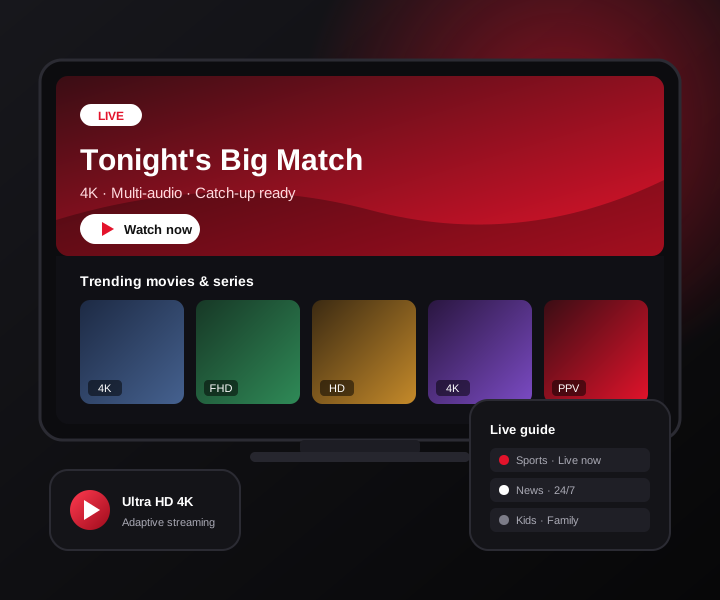
Aero IPTV brings live television and on-demand entertainment together in one place. Here is what every subscription includes, whichever plan length you choose.
A large line-up of live channels covering sports, news, entertainment, documentaries, kids' programming and international stations from many regions and languages.
A video-on-demand library you can browse at any time. Start a film when it suits you, binge a series at your own pace and pick up where you left off in supported player apps.
Streams are available in several qualities, so you can enjoy sharp 4K on a large TV and switch to HD on a phone or a slower connection without losing the picture.
Dedicated pay-per-view channels for big boxing, MMA and wrestling cards and other special events are part of the package, with no separate event purchase from us.
Use Aero IPTV on smart TVs, streaming sticks, Android boxes, phones, tablets and computers. You keep the hardware you already have and simply add a compatible player app.
Questions about setup, your account or playback go straight to our team on WhatsApp. No ticket queues, no call centres — just a chat with someone who knows the service.
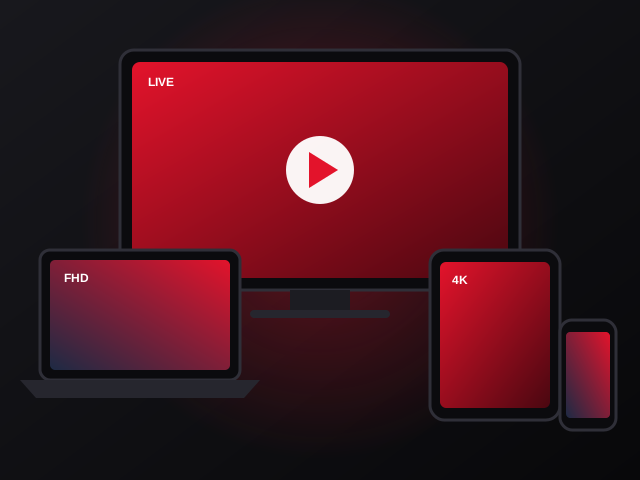
IPTV stands for Internet Protocol Television. Rather than receiving channels through a satellite dish, an aerial or a coaxial cable, an IPTV service sends the video to you as data over your broadband connection. Your device receives that data through a player app and turns it back into live TV, films and series on your screen.
The practical result is flexibility. There is no installer to book, no dish to mount and no long-term contract tied to a particular box. If your device can run a compatible player app and connect to the internet, it can play Aero IPTV — in the living room, in the bedroom or on your phone while you travel.
Want the full explanation? Read our beginner's guide, What Is IPTV and How Does It Work?
Every plan includes exactly the same features. The only difference is how long your access lasts — and longer plans cost less per month.
Aero IPTV subscription
Flexible monthly access
Aero IPTV subscription
Only $11.66 per month
Aero IPTV subscription
Only $9.17 per month
Aero IPTV subscription
Only $7.08 per month
Prices are shown in US dollars. Need something specific? Compare plans in detail or ask us on WhatsApp.
Aero IPTV is delivered as a standard IPTV account, so it works with widely used IPTV player apps across the major platforms. These are the most common choices.
Samsung, LG, Android TV & Google TV
Fire TV Stick, 4K & Fire TV Cube
Android boxes, Apple TV & MAG
iPhone & Android phones
iPad & Android tablets
Windows PC & Mac
For a large TV, a dedicated streaming device such as a Fire TV Stick 4K, a recent Android TV box or an Apple TV usually delivers the smoothest playback and the easiest remote control navigation. Built-in smart TV apps work well too, though the choice of player apps on Samsung (Tizen) and LG (webOS) is smaller. Phones and tablets are ideal for watching in another room or on the move.
We publish clear setup instructions for the most popular devices. Start with our Firestick setup guide or our Samsung and LG smart TV guide. If your device is not covered, message us on WhatsApp and we will walk you through it.
Getting started with Aero IPTV does not require technical knowledge. You can be watching shortly after your payment is confirmed.
Pick 1, 3, 6 or 12 months on the pricing table. Every plan has the same channels, library, quality and support.
Press Buy Now. WhatsApp opens with your chosen plan already written in the message — just tap send.
After payment is confirmed, we send your account details and instructions that match the device you told us about.
Enter your details in a compatible player app and enjoy live TV, movies, series and PPV. Stuck? We are a message away.
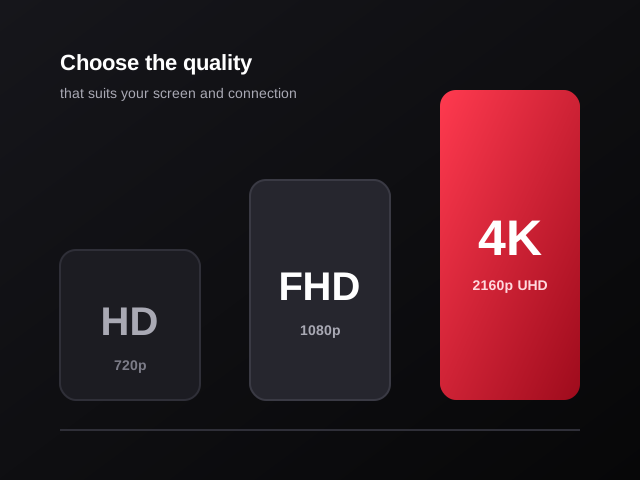
Aero IPTV offers channels and titles in several resolutions. Knowing the difference helps you get the best possible picture from your screen and your connection.
HD is the most forgiving option. It looks good on phones, tablets and smaller TVs and is the right choice when your connection is slower or shared with other people in the house.
Full HD is the everyday sweet spot for most living-room TVs. It delivers a crisp, detailed picture while using noticeably less bandwidth than 4K.
4K offers four times the pixels of Full HD and really shines on large 4K televisions, especially for sport and nature content. To enjoy it you need a 4K-capable TV or streaming device and a fast, stable internet connection.
Cable and satellite packages still suit some households, but many viewers now prefer the flexibility of internet-based TV. Here is a straightforward look at how the two approaches differ.
| What matters | Aero IPTV | Traditional cable / satellite |
|---|---|---|
| Installation | None — install a player app and log in | Often needs an engineer visit, dish or cabling |
| Contract | Prepaid plans of 1, 3, 6 or 12 months | Frequently 12–24 month minimum terms |
| Devices | Smart TVs, sticks, boxes, phones, tablets, computers | Usually tied to a provider's own set-top box |
| On-demand library | 70,000+ movies & series included | Varies; premium libraries often cost extra |
| PPV events | PPV channels included in every plan | Each event typically purchased separately |
| Watching on the go | Use your account on a phone or tablet | Limited to apps the provider offers |
| What you need | A reliable internet connection | Signal reception or a cable line at your address |
Because IPTV runs over the internet, your viewing experience depends on the speed and stability of your home connection.
A few simple choices make a big difference to how smooth and enjoyable streaming feels. These are the tips our support team shares most often.
Consistency beats headline speed. If your streaming device is close to the router, a wired Ethernet cable removes most Wi-Fi interference. On wireless, connect to the 5 GHz band where possible and avoid placing the router behind the TV or inside a cabinet. Heavy downloads on other devices during a live match can also cause stutters.
The player app is the interface you use every day, so it is worth picking one you like. Popular choices support an electronic programme guide (EPG), favourites lists and search. We recommend options that suit your device when we send your login details, and we can help you switch apps later if you change your mind.
With tens of thousands of channels available, a favourites list is the fastest way to reach the stations you watch most. Spend five minutes adding your go-to sports, news and entertainment channels, and the rest of the line-up stays available whenever you want to explore.
If you are new to IPTV, a 1-month plan is an easy way to see how the service performs on your connection and devices. If you already know you want ongoing access, the 6- and 12-month plans reduce the monthly cost considerably and mean fewer renewals to think about.
The Aero IPTV channel list is organised into clear categories, so finding something to watch takes seconds rather than minutes. Typical categories include:
Channel line-ups and on-demand titles are updated over time, and availability can vary. If a specific channel matters to you, ask us on WhatsApp before you order.
The movies and series library is there whenever you are. Browse by category, search by title and press play — no broadcast times to work around.
Aero IPTV serves customers in many countries, with international channels and a support team that works around the clock across time zones.
You pay once for the period you choose. There are no hidden fees and no automatic long-term contract.
Everyone uses television differently. Because every plan includes the full channel line-up, the on-demand library and PPV, one subscription can cover the whole household.
Follow leagues and tournaments from different countries in one channel list, with dedicated event and PPV channels for fight nights. Build a favourites list of your sports channels and switch between live games in seconds, in Full HD or 4K where available.
Browse a large library of movies and box sets by category, then watch at your own pace. It's ideal for evenings when nothing on live TV appeals, and for catching up on a series everyone at work is talking about.
Kids' channels, documentaries and family films sit alongside news and entertainment. With the right number of connections, different people can watch different things on different screens around the home.
If you live abroad or speak more than one language at home, channels grouped by country make it easy to keep up with news, culture and entertainment from the places that matter to you.
Not sure whether Aero IPTV covers what you want to watch? Send us the channel names or the device you use on WhatsApp before ordering, and we'll give you an honest answer.
Good IPTV is about more than a channel count. When something does not work as expected, you want a quick, clear answer. That is why Aero IPTV support runs on WhatsApp — the app you probably already have open.
Tell us your device and we will explain exactly which app to install and where to enter your details, step by step.
Freezing, buffering or a channel that will not load? We help you find the cause, whether it is the app, the device or the connection.
Renewals, plan changes and account questions are handled directly in the same WhatsApp chat you used to order.
Quick answers to what new customers ask most. For more detail, visit our full Aero IPTV FAQ.
Aero IPTV is a subscription IPTV service. Instead of a satellite dish or cable box, it delivers live TV channels, movies, series and PPV events over your internet connection to the devices you already own, such as a smart TV, Firestick, Android box, phone or computer.
Choose a plan on the pricing page and press Buy Now. WhatsApp opens with a message that already names your plan. Send it, and our team replies with the payment options and, once payment is confirmed, your login details and setup instructions.
Aero IPTV works with the most common streaming devices: Amazon Fire TV Stick, Android TV and Google TV boxes, Samsung and LG smart TVs, Apple TV, iPhone, iPad, Android phones and tablets, Windows PCs, Macs and MAG-style set-top boxes. Tell us your device on WhatsApp and we will point you to the right setup guide.
As a practical guide, a stable connection of around 10 Mbps is comfortable for HD, 15–25 Mbps for Full HD and 25 Mbps or more for 4K. Stability matters as much as raw speed, so a wired Ethernet connection or a strong 5 GHz Wi-Fi signal gives the best results. Our internet speed guide explains this in detail.
You can install Aero IPTV on several devices, but the number of streams you can watch at the same time depends on the connections included in your subscription. Message us before ordering if you need multiple simultaneous screens so we can confirm the right option for you.
Yes. Our support team is available 24/7 on WhatsApp for setup questions, playback problems and account requests. Our buffering troubleshooting guide also covers the quick fixes that solve most issues.
Install a player app on your Fire TV Stick and sign in to Aero IPTV in a few minutes.
Read guide
Realistic speed guidance for HD, Full HD and 4K streaming, plus how to test your line.
Read guide
A step-by-step checklist to stop freezing and stuttering on any device.
Read guideChoose your plan, send us a message on WhatsApp and get your login details with setup help for your device.